spectractor package
Subpackages
- spectractor.extractor package
- Submodules
- spectractor.extractor.chromaticpsf module
ChromaticPSFChromaticPSF.build_psf_cube()ChromaticPSF.build_psf_cube_masked()ChromaticPSF.build_psf_jacobian()ChromaticPSF.build_sparse_M()ChromaticPSF.build_sparse_dM()ChromaticPSF.convolve_psf_cube_masked()ChromaticPSF.crop_table()ChromaticPSF.evaluate()ChromaticPSF.fill_table_with_profile_params()ChromaticPSF.fit_chromatic_psf()ChromaticPSF.fit_transverse_PSF1D_profile()ChromaticPSF.from_poly_params_to_profile_params()ChromaticPSF.from_profile_params_to_poly_params()ChromaticPSF.from_profile_params_to_shape_params()ChromaticPSF.from_table_to_poly_params()ChromaticPSF.from_table_to_profile_params()ChromaticPSF.generate_test_poly_params()ChromaticPSF.get_algebraic_distance_along_dispersion_axis()ChromaticPSF.get_sparse_indices()ChromaticPSF.init_from_table()ChromaticPSF.plot_summary()ChromaticPSF.resize_table()ChromaticPSF.rotate_table()ChromaticPSF.set_bounds()ChromaticPSF.set_bounds_for_minuit()ChromaticPSF.set_pixels()ChromaticPSF.set_polynomial_degrees()ChromaticPSF.set_rectangular_boundaries()ChromaticPSF.update()
ChromaticPSFFitWorkspace
- spectractor.extractor.dispersers module
DisperserDisperser.N()Disperser.N_flat()Disperser.grating_lambda_to_pixel()Disperser.grating_pixel_to_lambda()Disperser.grating_refraction_angle_to_lambda()Disperser.grating_resolution()Disperser.load_config()Disperser.load_files()Disperser.plot_transmission()Disperser.refraction_angle()Disperser.refraction_angle_lambda()Disperser.theta()Disperser.theta_flat()
Hologrambuild_hologram()build_ronchi()find_order01_positions()get_N()get_delta_pix_ortho()get_refraction_angle()get_theta0()neutral_lines()order01_positions()
- spectractor.extractor.extractor module
FullForwardModelFitWorkspaceFullForwardModelFitWorkspace.adjust_spectrogram_position_parameters()FullForwardModelFitWorkspace.amplitude_covariance()FullForwardModelFitWorkspace.amplitude_derivatives()FullForwardModelFitWorkspace.jacobian()FullForwardModelFitWorkspace.plot_fit()FullForwardModelFitWorkspace.plot_spectrogram_comparison_simple()FullForwardModelFitWorkspace.set_mask()FullForwardModelFitWorkspace.simulate()
Spectractor()SpectractorInit()SpectractorRun()dumpParameters()extract_spectrum_from_image()plot_comparison_truth()run_ffm_minimisation()run_spectrogram_deconvolution_psf2d()
- spectractor.extractor.images module
ImageImage.my_loggerImage.file_nameImage.unitsImage.dataImage.errImage.target_pixcoordsImage.data_rotatedImage.err_rotatedImage.flatImage.starfieldImage.maskImage.flat_rotatedImage.starfield_rotatedImage.mask_rotatedImage.target_pixcoords_rotatedImage.date_obsImage.airmassImage.expoImage.disperser_labelImage.filter_labelImage.target_labelImage.rotation_angleImage.parallactic_angleImage.headerImage.disperserImage.targetImage.raImage.decImage.hour_angleImage.temperatureImage.pressureImage.humidityImage.saturationImage.target_star2DImage.target_bkgd2DImage.wcsImage.check_statistical_error()Image.compute_parallactic_angle()Image.compute_statistical_error()Image.convert_to_ADU_rate_units()Image.convert_to_ADU_units()Image.load_image()Image.plot_image()Image.plot_statistical_error()Image.rebin()Image.save_image()Image.simulate_starfield_with_gaia()
build_CTIO_gain_map()build_CTIO_read_out_noise_map()compute_rotation_angle_hessian()find_target()find_target_1Dprofile()find_target_Moffat2D()find_target_after_rotation()find_target_init()load_AUXTEL_image()load_CTIO_image()load_LPNHE_image()load_STARDICE_image()turn_image()
- spectractor.extractor.psf module
DoubleMoffatGaussMoffatMoffatGaussOrder0PSFPSFFitWorkspaceevaluate_doublemoffat1d()evaluate_doublemoffat1d_jacobian()evaluate_doublemoffat2d()evaluate_doublemoffat2d_jacobian()evaluate_gauss1d()evaluate_gauss1d_jacobian()evaluate_gauss2d()evaluate_gauss2d_jacobian()evaluate_moffat1d()evaluate_moffat1d_jacobian()evaluate_moffat1d_normalisation()evaluate_moffat1d_normalisation_dalpha()evaluate_moffat2d()evaluate_moffat2d_jacobian()evaluate_moffatgauss1d()evaluate_moffatgauss1d_jacobian()evaluate_moffatgauss2d()evaluate_moffatgauss2d_jacobian()load_PSF()
- spectractor.extractor.spectroscopy module
- spectractor.extractor.spectrum module
MultigaussAndBgdFitWorkspaceSpectrumSpectrum.my_loggerSpectrum.fast_loadSpectrum.unitsSpectrum.lambdasSpectrum.dataSpectrum.errSpectrum.cov_matrixSpectrum.lambdas_binwidthsSpectrum.data_next_orderSpectrum.err_next_orderSpectrum.lambda_refSpectrum.orderSpectrum.x0Spectrum.psfSpectrum.chromatic_psfSpectrum.date_obsSpectrum.airmassSpectrum.expoSpectrum.disperser_labelSpectrum.filter_labelSpectrum.rotation_angleSpectrum.parallactic_angleSpectrum.camera_angleSpectrum.linesSpectrum.headerSpectrum.disperserSpectrum.targetSpectrum.decSpectrum.temperatureSpectrum.pressureSpectrum.humiditySpectrum.throughputSpectrum.spectrogram_dataSpectrum.spectrogram_bgdSpectrum.spectrogram_bgd_rmsSpectrum.spectrogram_errSpectrum.spectrogram_fitSpectrum.spectrogram_residualsSpectrum.spectrogram_flatSpectrum.spectrogram_starfieldSpectrum.spectrogram_maskSpectrum.spectrogram_x0Spectrum.spectrogram_y0Spectrum.spectrogram_xminSpectrum.spectrogram_xmaxSpectrum.spectrogram_yminSpectrum.spectrogram_ymaxSpectrum.spectrogram_degSpectrum.spectrogram_saturationSpectrum.spectrogram_NxSpectrum.spectrogram_NySpectrum.compute_disp_axis_in_spectrogram()Spectrum.compute_dispersion_in_spectrogram()Spectrum.compute_lambdas_in_spectrogram()Spectrum.convert_from_ADUrate_to_flam()Spectrum.convert_from_flam_to_ADUrate()Spectrum.load_chromatic_psf()Spectrum.load_filter()Spectrum.load_spectrogram()Spectrum.load_spectrum()Spectrum.load_spectrum_latest()Spectrum.load_spectrum_older_24()Spectrum.plot_spectrogram()Spectrum.plot_spectrum()Spectrum.plot_spectrum_summary()Spectrum.save_spectrogram()Spectrum.save_spectrum()
calibrate_spectrum()detect_lines()run_multigaussandbgd_minimisation()
- spectractor.extractor.targets module
- Module contents
- spectractor.fit package
- Submodules
- spectractor.fit.fitter module
FitParameterFitParametersFitParameters.valuesFitParameters.labelsFitParameters.axis_namesFitParameters.boundsFitParameters.fixedFitParameters.truthFitParameters.filenameFitParameters.axis_namesFitParameters.boundsFitParameters.errFitParameters.extraFitParameters.filenameFitParameters.fixedFitParameters.get_fixed_parameters()FitParameters.get_free_parameters()FitParameters.get_index()FitParameters.get_parameter()FitParameters.json_filenameFitParameters.labelsFitParameters.ndimFitParameters.nfixedFitParameters.nfreeFitParameters.plot_correlation_matrix()FitParameters.print_parameters_summary()FitParameters.rhoFitParameters.set()FitParameters.truthFitParameters.txt_filenameFitParameters.valuesFitParameters.write_json()FitParameters.write_text()
FitWorkspaceFitWorkspace.chisq()FitWorkspace.compute_W_with_model_error()FitWorkspace.get_bad_indices()FitWorkspace.hessian()FitWorkspace.jacobian()FitWorkspace.lnlike()FitWorkspace.plot_fit()FitWorkspace.plot_gradient_descent()FitWorkspace.plot_triangle_fisher()FitWorkspace.prepare_weight_matrices()FitWorkspace.save_gradient_descent()FitWorkspace.set_epsilon()FitWorkspace.simulate()FitWorkspace.weighted_residuals()
RegFitWorkspacegradient_descent()read_fitparameter_json()run_gradient_descent()run_minimisation()run_minimisation_sigma_clipping()run_simple_newton_minimisation()simple_newton_minimisation()write_fitparameter_json()
- spectractor.fit.statistics module
- spectractor.fit.fit_spectrogram module
- Module contents
- spectractor.simulation package
- Submodules
- spectractor.simulation.atmosphere module
- spectractor.simulation.image_simulation module
- spectractor.simulation.libradtran module
- spectractor.simulation.simulator module
- spectractor.simulation.throughput module
- Module contents
Submodules
spectractor.config module
- spectractor.config.apply_rebinning_to_parameters()[source]
Divide or multiply original parameters by parameters.CCD_REBIN to set them correctly in the case of an image rebinning.
Examples
>>> parameters.PIXWIDTH_SIGNAL = 40
>>> parameters.CCD_PIXEL2MM = 10
>>> parameters.CCD_REBIN = 2
>>> apply_rebinning_to_parameters()
>>> parameters.PIXWIDTH_SIGNAL
20
>>> parameters.CCD_PIXEL2MM
20
- spectractor.config.from_config_to_dict(path)[source]
Convert config file keywords into dictionnary.
- Parameters:
path (str) – The path to the config file.
Examples
>>> mypath = os.path.dirname(__file__)
>>> out = from_config_to_dict(os.path.join(mypath, "../config/", "default.ini"))
>>> assert type(out) == dict
- spectractor.config.from_config_to_parameters(path)[source]
Convert config file keywords into spectractor.parameters parameters.
- Parameters:
path (str) – The path to the config file.
Examples
>>> mypath = os.path.dirname(__file__)
>>> from_config_to_parameters(os.path.join(mypath, parameters.CONFIG_DIR, "default.ini"))
>>> assert parameters.OBS_NAME == "DEFAULT"
- spectractor.config.load_config(config_filename, rebin=True)[source]
Load configuration parameters from a .ini config file.
- Parameters:
Examples
>>> parameters.VERBOSE = True
>>> load_config("./config/ctio.ini")
>>> assert parameters.OBS_NAME == "CTIO"
- spectractor.config.set_logger(logger)[source]
Logger function for all classes.
- Parameters:
logger (str) – Name of the class, usually self.__class__.__name__
- Returns:
my_logger – Logging object
- Return type:
logging
Examples
>>> class Test:
...     def __init__(self):
...         self.my_logger = set_logger(self.__class__.__name__)
...     def log(self):
...         self.my_logger.info('This info test function works.')
...         self.my_logger.debug('This debug test function works.')
...         self.my_logger.warning('This warning test function works.')
>>> from spectractor import parameters
>>> parameters.VERBOSE = True
>>> parameters.DEBUG = True
>>> test = Test()
>>> test.log()
spectractor.logbook module
- class spectractor.logbook.LogBook(logbook='./tests/data/ctiofulllogbook_jun2017_v5.csv')[source]
Bases:
objectClass to load_image and analyse observation logbook csv files.
- plot_columns_vs_date(column_names)[source]
Plot of the column property with respect to the dates.
Examples
>>> logbook = LogBook('./tests/data/ctiofulllogbook_jun2017_v5.csv')
>>> logbook.plot_columns_vs_date(['seeing'])
>>> logbook.plot_columns_vs_date(['P', 'T'])
- search_for_image(filename)[source]
Look for an image file name in the logbook and load_image properties:
Obj-posXpix and Obj-posYpix: the [x0,y0] guessed pixel position in the image
Dx and Dy: the x and y windows in pixel to search for the target; set XWINDOW and YWINDOW variables in parameters.py
object: the name of the target
- Parameters:
filename (str) – the fits image file name (not the path, only the file name.)
- Returns:
disperser_label (str) – the name of the disperser
target (str) – the name of the target
xpos (int) – the x position of the target (in pixel)
ypos (int) – the y position of the target (in pixel)
Examples
>>> logbook = LogBook('./tests/data/ctiofulllogbook_jun2017_v5.csv')
>>> disperser_label, target, xpos, ypos = logbook.search_for_image("unknown_file.fits")
>>> print(disperser_label, target, xpos, ypos)
None None None None
>>> disperser_label, target, xpos, ypos = logbook.search_for_image("reduc_20170605_028.fits")
>>> print(disperser_label, target, xpos, ypos)
HoloPhAg PNG321.0+3.9 814 585
>>> disperser_label, target, xpos, ypos = logbook.search_for_image("reduc_20170608_119.fits")
>>> print(disperser_label, target, xpos, ypos)
None HD205905 None None
>>> disperser_label, target, xpos, ypos = logbook.search_for_image("reduc_20170630_001.fits")
>>> print(disperser_label, target, xpos, ypos)
None bias None None
spectractor.parameters module
spectractor.tools module
- class spectractor.tools.NumpyArrayEncoder(*, skipkeys=False, ensure_ascii=True, check_circular=True, allow_nan=True, sort_keys=False, indent=None, separators=None, default=None)[source]
Bases:
JSONEncoder- default(obj)[source]
Implement this method in a subclass such that it returns a serializable object for
o, or calls the base implementation (to raise aTypeError).For example, to support arbitrary iterators, you could implement default like this:
def default(self, o):
    try:
        iterable = iter(o)
    except TypeError:
        pass
    else:
        return list(iterable)
    # Let the base class default method raise the TypeError
    return JSONEncoder.default(self, o)
- spectractor.tools.cholesky_solve(A, B)[source]
Solve the system A @ X = B using Cholesky factorisation.
- Parameters:
A (np.ndarray) – Matrix
B (np.ndarray) – Vector
- Returns:
X – Solution
- Return type:
np.ndarray
Examples
>>> N = 1000
>>> A = np.tri(N).T @ np.tri(N)
>>> B = np.arange(N)
>>> cov_matrix = np.linalg.inv(A)
>>> X = cov_matrix @ B
>>> X2 = cholesky_solve(A, B)
>>> assert np.all(np.abs(X - X2)<1e-10)
- spectractor.tools.compute_correlation_matrix(cov)[source]
Compute correlation matrix from a covariance matrix.
- Parameters:
cov (np.ndarray) – Covariance matrix.
- Returns:
rho – Correlation matrix.
- Return type:
np.ndarray
Examples
>>> cov = np.array([[4, 1], [1, 16]])
>>> compute_correlation_matrix(cov)
array([[1.   , 0.125],
       [0.125, 1.   ]])
- spectractor.tools.compute_fwhm(x, y, minimum=0, center=None, full_output=False, epsilon=0.001)[source]
Compute the full width half maximum of y(x) curve, using an interpolation of the data points and dichotomie method.
- Parameters:
x (array_like) – The abscisse array.
y (array_like) – The function array.
minimum (float, optional) – The minimum reference from which to compyte half the height (default: 0).
center (float, optional) – The center of the curve. If None, the weighted averageof the y(x) distribution is computed (default: None).
full_output (bool, optional) – If True, half maximum, the edges of the curve and the curve center are given in output (default: False).
epsilon (float, optional) – Dichotomie algorithm stop if difference is smaller than epsilon (default: 1e-3).
- Returns:
FWHM (float) – The full width half maximum of the curve.
half (float, optional) – The half maximum value. Only if full_output=True.
center (float, optional) – The y(x) center value. Only if full_output=True.
left_edge (float, optional) – The left_edge value at half maximum. Only if full_output=True.
right_edge (float, optional) – The right_edge value at half maximum. Only if full_output=True.
Examples
Gaussian example
>>> x = np.arange(0, 100, 1)
>>> stddev = 4
>>> middle = 40
>>> psf = gauss(x, 1, middle, stddev)
>>> fwhm, half, center, a, b = compute_fwhm(x, psf, full_output=True)
>>> print(f"{fwhm:.4f} {2.355*stddev:.4f} {center:.4f}")
9.4329 9.4200 40.0000
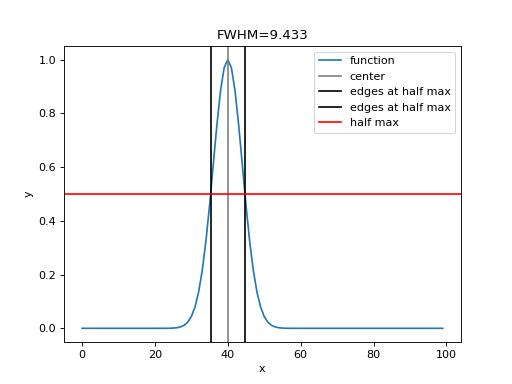
Defocused PSF example
>>> from spectractor.extractor.psf import MoffatGauss
>>> p = [2,40,40,4,2,-0.4,1,10]
>>> psf = MoffatGauss(p)
>>> fwhm, half, center, a, b = compute_fwhm(x, psf.evaluate(x), full_output=True)
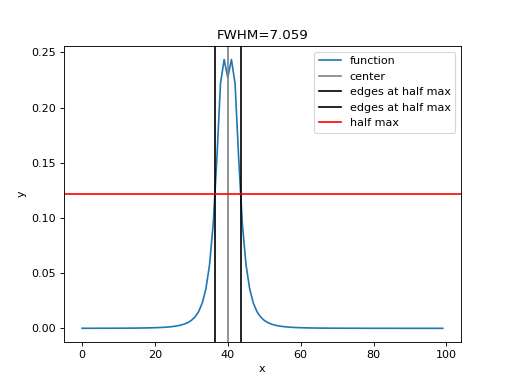
- spectractor.tools.compute_integral(x, y, bounds=None)[source]
Compute the integral of an y(x) curve. The curve is interpolated and extrapolated with cubic splines. If not provided, bounds are set to the x array edges.
- Parameters:
x (array_like) – The abscisse array.
y (array_like) – The function array.
bounds (array_like, optional) – The bounds of the integral. If None, the edges of thex array are taken (default bounds=None).
- Returns:
result – The integral of the PSF model.
- Return type:
Examples
Gaussian example
>>> x = np.arange(0, 100, 1)
>>> stddev = 4
>>> middle = 40
>>> psf = gauss(x, 1/(stddev*np.sqrt(2*np.pi)), middle, stddev)
>>> integral = compute_integral(x, psf)
>>> print(f"{integral:.6f}")
1.000000
Defocused PSF example
>>> from spectractor.extractor.psf import MoffatGauss
>>> p = [2,30,30,4,2,-0.5,1,10]
>>> psf = MoffatGauss(p)
>>> integral = compute_integral(x, psf.evaluate(x))
>>> assert np.isclose(integral, p[0], atol=1e-2)
- spectractor.tools.detect_peaks(image)[source]
Takes an image and detect the peaks using the local maximum filter. Returns a boolean mask of the peaks (i.e. 1 when the pixel’s value is the neighborhood maximum, 0 otherwise). Only positive peaks are detected (take absolute value or negative value of the image to detect the negative ones).
- Parameters:
image (array_like) – The image 2D array.
- Returns:
detected_peaks – Boolean maskof the peaks.
- Return type:
array_like
Examples
>>> im = np.zeros((50,50))
>>> im[4,6] = 2
>>> im[10,20] = -3
>>> im[49,49] = 1
>>> detected_peaks = detect_peaks(im)
- spectractor.tools.dichotomie(f, a, b, epsilon)[source]
Dichotomie method to find a function root.
- Parameters:
- Returns:
root – The root of the function.
- Return type:
Examples
Search for the Gaussian FWHM:
>>> p = [1,0,1]
>>> xx = np.arange(-10,10,0.1)
>>> PSF = gauss(xx, *p)
>>> def eq(x):
...     return np.interp(x, xx, PSF) - 0.5
>>> root = dichotomie(eq, 0, 10, 1e-6)
>>> assert np.isclose(2*root, 2.355*p[2], 1e-3)
- spectractor.tools.ensure_dir(directory_name)[source]
Ensure that directory_name directory exists. If not, create it.
- Parameters:
directory_name (str) – The directory name.
Examples
>>> ensure_dir('tests')
>>> os.path.exists('tests')
True
>>> ensure_dir('tests/mytest')
>>> os.path.exists('tests/mytest')
True
>>> os.rmdir('./tests/mytest')
- spectractor.tools.fftconvolve_gaussian(array, reso)[source]
Convolve an 1D or 2D array with a Gaussian profile of given standard deviation.
- Parameters:
array (array) – The array to convolve.
reso (float) – The standard deviation of the Gaussian profile.
- Returns:
convolved – The convolved array, same size and shape as input.
- Return type:
array
Examples
>>> array = np.ones(100)
>>> output = fftconvolve_gaussian(array, 3)
>>> print(output[:3])
[0.5        0.63114657 0.74850168]
>>> array = np.ones((100, 100))
>>> output = fftconvolve_gaussian(array, 3)
>>> print(output[0][:3])
[0.5        0.63114657 0.74850168]
>>> array = np.ones((100, 100, 100))
>>> output = fftconvolve_gaussian(array, 3)
- spectractor.tools.find_nearest(array, value)[source]
Find the nearest index and value in an array.
- Parameters:
array (array) – The array to inspect.
value (float) – The value to look for.
- Returns:
index (int) – The array index of the nearest value close to value
val (float) – The value fo the array at index.
Examples
>>> x = np.arange(0.,10.)
>>> idx, val = find_nearest(x, 3.3)
>>> print(idx, val)
3 3.0
- spectractor.tools.fit_gauss(x, y, guess=[10, 1000, 1], bounds=(-inf, inf), sigma=None)[source]
Fit a Gaussian profile to data, using curve_fit. The mean guess value of the Gaussian must not be far from the truth values. Boundaries helps a lot also.
- Parameters:
x (np.array) – The x data values.
y (np.array) – The y data values.
guess (list, [amplitude, mean, sigma], optional) – List of first guessed values for the Gaussian fit (default: [10, 1000, 1]).
bounds (list, optional) – List of boundaries for the parameters [[minima],[maxima]] (default: (-np.inf, np.inf)).
sigma (np.array, optional) – The y data uncertainties.
- Returns:
popt (list) – Best fitting parameters of curve_fit.
pcov (list) – Best fitting parameters covariance matrix from curve_fit.
Examples
>>> import numpy as np
>>> import matplotlib.pyplot as plt
>>> x = np.arange(600.,700.,2)
>>> p = [10, 650, 10]
>>> y = gauss(x, *p)
>>> y_err = np.ones_like(y)
>>> print(y[25])
10.0
>>> guess = (2,630,2)
>>> popt, pcov = fit_gauss(x, y, guess=guess, bounds=((1,600,1),(100,700,100)), sigma=y_err)
- spectractor.tools.fit_gauss2d_outlier_removal(x, y, z, sigma=3.0, niter=3, guess=None, bounds=None, circular=False)[source]
Fit an astropy Gaussian 2D model with parameters : amplitude, x_mean, y_mean, x_stddev, y_stddev, theta using outlier removal methods.
- Parameters:
x (np.array) – 2D array of the x coordinates from meshgrid.
y (np.array) – 2D array of the y coordinates from meshgrid.
z (np.array) – the 2D array image.
sigma (float) – value of sigma for the sigma rejection of outliers (default: 3)
niter (int) – maximum number of iterations for the outlier detection (default: 3)
guess (list, optional) – List containing a first guess for the PSF parameters (default: None).
bounds (list, optional) – 2D list containing bounds for the PSF parameters with format ((min,…), (max…)) (default: None)
circular (bool, optional) – If True, force the Gaussian shape to be circular (default: False)
- Returns:
fitted_model – Astropy Gaussian2D model
- Return type:
Fittable
Examples
>>> import numpy as np
>>> import matplotlib.pyplot as plt
>>> from astropy.modeling import models
>>> X, Y = np.mgrid[:50,:50]
>>> PSF = models.Gaussian2D()
>>> p = (50, 25, 25, 5, 5, 0)
>>> Z = PSF.evaluate(X, Y, *p)
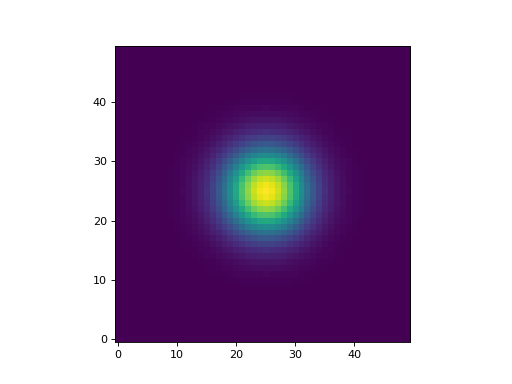
>>> guess = (45, 20, 20, 7, 7, 0)
>>> bounds = ((1, 10, 10, 1, 1, -90), (100, 40, 40, 10, 10, 90))
>>> fit = fit_gauss2d_outlier_removal(X, Y, Z, guess=guess, bounds=bounds, circular=True)
>>> res = [getattr(fit, p).value for p in fit.param_names]
>>> print(res)
[50.0, 25.0, 25.0, 5.0, 5.0, 0.0]
- spectractor.tools.fit_moffat1d(x, y, guess=None, bounds=None)[source]
- Fit an astropy Moffat 1D model with parameters :
amplitude, x_mean, gamma, alpha
- Parameters:
x (np.array) – 1D array of the x coordinates from meshgrid.
y (np.array) – the 1D array amplitudes.
guess (list, optional) – List containing a first guess for the PSF parameters (default: None).
bounds (list, optional) – 2D list containing bounds for the PSF parameters with format ((min,…), (max…)) (default: None)
- Returns:
fitted_model – Astropy Moffat1D model
- Return type:
Fittable
Examples
>>> import numpy as np
>>> import matplotlib.pyplot as plt
>>> from astropy.modeling import models
>>> X = np.arange(100)
>>> PSF = models.Moffat1D()
>>> p = (50, 50, 5, 2)
>>> Y = PSF.evaluate(X, *p)
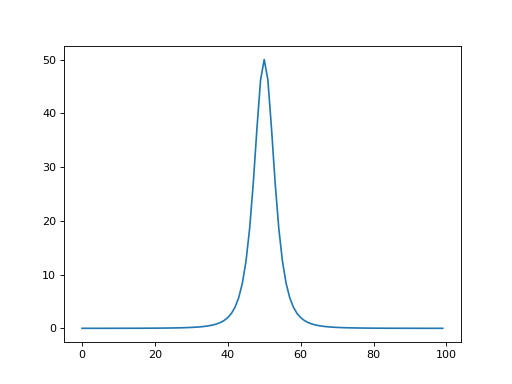
>>> guess = (45, 48, 4, 2)
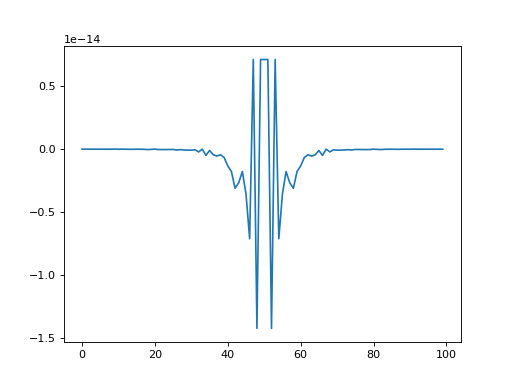
>>> bounds = ((1, 10, 1, 1), (100, 90, 10, 10))
>>> fit = fit_moffat1d(X, Y, guess=guess, bounds=bounds)
>>> res = [getattr(fit, p).value for p in fit.param_names]
>>> assert(np.all(np.isclose(p, res, 1e-6)))
- spectractor.tools.fit_moffat1d_outlier_removal(x, y, sigma=3.0, niter=3, guess=None, bounds=None)[source]
Fit an astropy Moffat 1D model with parameters: amplitude, x_mean, gamma, alpha using outlier removal methods.
- Parameters:
x (np.array) – 1D array of the x coordinates from meshgrid.
y (np.array) – the 1D array amplitudes.
sigma (float) – value of sigma for the sigma rejection of outliers (default: 3)
niter (int) – maximum number of iterations for the outlier detection (default: 3)
guess (list, optional) – List containing a first guess for the PSF parameters (default: None).
bounds (list, optional) – 2D list containing bounds for the PSF parameters with format ((min,…), (max…)) (default: None)
- Returns:
fitted_model – Astropy Moffat1D model
- Return type:
Fittable
Examples
>>> import numpy as np
>>> import matplotlib.pyplot as plt
>>> from astropy.modeling import models
>>> X = np.arange(100)
>>> PSF = models.Moffat1D()
>>> p = (50, 50, 5, 2)
>>> Y = PSF.evaluate(X, *p)
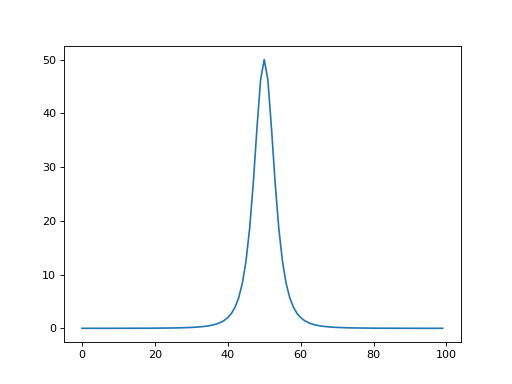
>>> guess = (45, 48, 4, 2)
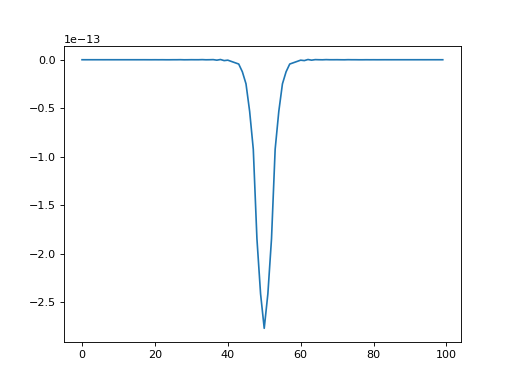
>>> bounds = ((1, 10, 1, 1), (100, 90, 10, 10))
>>> fit = fit_moffat1d_outlier_removal(X, Y, guess=guess, bounds=bounds, niter=3)
>>> res = [getattr(fit, p).value for p in fit.param_names]
- spectractor.tools.fit_moffat2d_outlier_removal(x, y, z, sigma=3.0, niter=3, guess=None, bounds=None)[source]
Fit an astropy Moffat 2D model with parameters: amplitude, x_mean, y_mean, gamma, alpha using outlier removal methods.
- Parameters:
x (np.array) – 2D array of the x coordinates from meshgrid.
y (np.array) – 2D array of the y coordinates from meshgrid.
z (np.array) – the 2D array image.
sigma (float) – value of sigma for the sigma rejection of outliers (default: 3)
niter (int) – maximum number of iterations for the outlier detection (default: 3)
guess (list, optional) – List containing a first guess for the PSF parameters (default: None).
bounds (list, optional) – 2D list containing bounds for the PSF parameters with format ((min,…), (max…)) (default: None)
- Returns:
fitted_model – Astropy Moffat2D model
- Return type:
Fittable
Examples
>>> import numpy as np
>>> import matplotlib.pyplot as plt
>>> from astropy.modeling import models
>>> X, Y = np.mgrid[:100,:100]
>>> PSF = models.Moffat2D()
>>> p = (50, 50, 50, 5, 2)
>>> Z = PSF.evaluate(X, Y, *p)
>>> guess = (45, 48, 52, 4, 2)
>>> bounds = ((1, 10, 10, 1, 1), (100, 90, 90, 10, 10))
>>> fit = fit_moffat2d_outlier_removal(X, Y, Z, guess=guess, bounds=bounds, niter=3)
>>> res = [getattr(fit, p).value for p in fit.param_names]
- spectractor.tools.fit_multigauss_and_bgd(x, y, guess=[0, 1, 10, 1000, 1, 0], bounds=(-inf, inf), sigma=None)[source]
Fit a multiple Gaussian profile plus a polynomial background to data, using iminuit. The mean guess value of the Gaussian must not be far from the truth values. Boundaries helps a lot also. The degree of the polynomial background is fixed by parameters.CALIB_BGD_NPARAMS. The order of the parameters is a first block CALIB_BGD_NPARAMS parameters (from high to low monomial terms, same as np.polyval), and then block of 3 parameters for the Gaussian profiles like amplitude, mean and standard deviation. x values are renormalised on the [-1, 1] interval for the background.
- Parameters:
x (array) – The x data values.
y (array) – The y data values.
guess (list, [CALIB_BGD_ORDER+1 parameters, 3*number of Gaussian parameters]) – List of first guessed values for the Gaussian fit (default: [0, 1, 10, 1000, 1]).
bounds (array) – List of boundaries for the parameters [[minima],[maxima]] (default: (-np.inf, np.inf)).
sigma (array, optional) – The uncertainties on the y values (default: None).
- Returns:
popt (array) – Best fitting parameters of curve_fit.
pcov (array) – Best fitting parameters covariance matrix from curve_fit.
Examples
>>> from spectractor.config import load_config
>>> load_config("default.ini")
>>> x = np.arange(600.,800.,1)
>>> x_norm = rescale_x_to_legendre(x)
>>> p = [20, 0, 0, 0, 20, 650, 3, 40, 750, 5]
>>> y = multigauss_and_bgd(np.array([x_norm, x]), *p)
>>> print(f'{y[0]:.2f}')
20.00
>>> err = 0.1 * np.sqrt(y)
>>> guess = (10,0,0,0.1,10,640,2,20,750,7)
>>> bounds = ((-np.inf,-np.inf,-np.inf,-np.inf,1,600,1,1,600,1),(np.inf,np.inf,np.inf,np.inf,100,800,100,100,800,100))
>>> popt, pcov = fit_multigauss_and_bgd(x, y, guess=guess, bounds=bounds, sigma=err)
>>> assert np.allclose(p,popt,rtol=1e-4, atol=1e-5)
>>> fit = multigauss_and_bgd(np.array([x_norm, x]), *popt)
- spectractor.tools.fit_multigauss_and_line(x, y, guess=[0, 1, 10, 1000, 1, 0], bounds=(-inf, inf))[source]
Fit a multiple Gaussian profile plus a straight line to data, using curve_fit. The mean guess value of the Gaussian must not be far from the truth values. Boundaries helps a lot also. The order of the parameters is line slope, line intercept, and then block of 3 parameters for the Gaussian profiles like amplitude, mean and standard deviation.
- Parameters:
x (array) – The x data values.
y (array) – The y data values.
guess (list, [slope, intercept, amplitude, mean, sigma]) – List of first guessed values for the Gaussian fit (default: [0, 1, 10, 1000, 1]).
bounds (2D-list) – List of boundaries for the parameters [[minima],[maxima]] (default: (-np.inf, np.inf)).
- Returns:
popt (list) – Best fitting parameters of curve_fit.
pcov (2D-list) – Best fitting parameters covariance matrix from curve_fit.
Examples
>>> x = np.arange(600.,800.,1)
>>> y = multigauss_and_line(x, 1, 10, 20, 650, 3, 40, 750, 10)
>>> print(y[0])
610.0
>>> bounds = ((-np.inf,-np.inf,1,600,1,1,600,1),(np.inf,np.inf,100,800,100,100,800,100))
>>> popt, pcov = fit_multigauss_and_line(x, y, guess=(0,1,3,630,3,3,770,3), bounds=bounds)
>>> print(popt)
[  1.  10.  20. 650.   3.  40. 750.  10.]
- spectractor.tools.fit_poly1d(x, y, order, w=None)[source]
Fit a 1D polynomial function to data. Use np.polyfit.
- Parameters:
x (array) – The x data values.
y (array) – The y data values.
order (int) – The degree of the polynomial function.
w (array, optional) – Weights on the y data (default: None).
- Returns:
fit (array) – The best fitting parameter values.
cov (2D-array) – The covariance matrix
model (array) – The best fitting profile
Examples
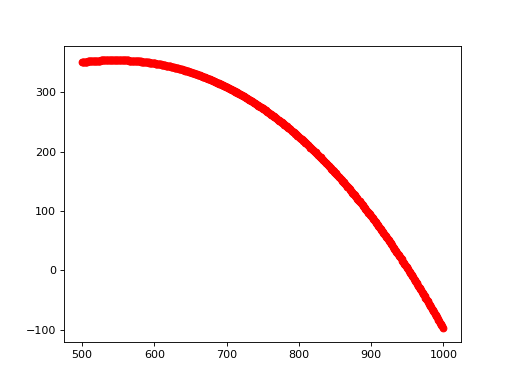
>>> x = np.arange(500., 1000., 1)
>>> p = [3, 2, 1, 1]
>>> y = np.polyval(p, x)
>>> err = np.ones_like(y)
>>> fit, cov, model = fit_poly1d(x, y, order=3)
With uncertainties:
>>> fit, cov2, model2 = fit_poly1d(x, y, order=3, w=err)
>>> fit, cov3, model3 = fit_poly1d([0, 1], [1, 1], order=3, w=err)
>>> print(fit)
[0 0 0 0]
- spectractor.tools.fit_poly1d_legendre(x, y, order, w=None)[source]
Fit a 1D polynomial function to data using Legendre polynomial orthogonal basis.
- Parameters:
x (array) – The x data values.
y (array) – The y data values.
order (int) – The degree of the polynomial function.
w (array, optional) – Weights on the y data (default: None).
- Returns:
fit (array) – The best fitting parameter values.
cov (2D-array) – The covariance matrix
model (array) – The best fitting profile
Examples
>>> x = np.arange(500., 1000., 1)
>>> p = [-1e-6, -1e-4, 1, 1]
>>> y = np.polyval(p, x)
>>> err = np.ones_like(y)
>>> fit, cov, model = fit_poly1d_legendre(x,y,order=3)
>>> assert np.all(np.isclose(p,fit,3))
>>> fit, cov2, model2 = fit_poly1d_legendre(x,y,order=3,w=err)
>>> assert np.all(np.isclose(p,fit,3))
>>> fit, cov3, model3 = fit_poly1d([0, 1], [1, 1], order=3, w=err)
>>> print(fit)
[0 0 0 0]
- spectractor.tools.fit_poly1d_outlier_removal(x, y, order=2, sigma=3.0, niter=3)[source]
Fit a 1D polynomial function to data. Use astropy.modeling.
- Parameters:
- Returns:
model (Astropy model) – The best fitting astropy model.
outliers (array_like) – List of the outlier points.
Examples
>>> x = np.arange(500., 1000., 1)
>>> p = [3,2,1,0]
>>> y = np.polyval(p, x)
>>> y[::10] = 0.
>>> model, outliers = fit_poly1d_outlier_removal(x,y,order=3,sigma=3)
>>> print('{:.2f}'.format(abs(model.c0.value)))
0.00
>>> print('{:.2f}'.format(model.c1.value))
1.00
>>> print('{:.2f}'.format(model.c2.value))
2.00
>>> print('{:.2f}'.format(model.c3.value))
3.00
- spectractor.tools.fit_poly2d(x, y, z, order)[source]
Fit a 2D polynomial function to data. Use astropy.modeling.
- Parameters:
x (array) – The x data values.
y (array) – The y data values.
z (array) – The z data values.
order (int) – The degree of the polynomial function.
- Returns:
model – The best fitting astropy polynomial model
- Return type:
Astropy model
Examples
>>> x, y = np.mgrid[:50,:50]
>>> z = x**2 + y**2 - 2*x*y
>>> fit = fit_poly2d(x, y, z, order=2)
- spectractor.tools.fit_poly2d_outlier_removal(x, y, z, order=2, sigma=3.0, niter=30)[source]
Fit a 2D polynomial function to data. Use astropy.modeling.
- Parameters:
- Returns:
model – The best fitting astropy model.
- Return type:
Astropy model
Examples
>>> x, y = np.mgrid[:50,:50]
>>> z = x**2 + y**2 - 2*x*y
>>> z[::10,::10] = 0.
>>> fit = fit_poly2d_outlier_removal(x,y,z,order=2,sigma=3)
- spectractor.tools.flip_and_rotate_radec_vector_to_xy_vector(ra, dec, camera_angle=0, flip_ra_sign=1, flip_dec_sign=1)[source]
Flip and rotate the vectors in pixels along (RA,DEC) directions to (x, y) image coordinates. The parity transformations are applied first, then rotation.
- Parameters:
ra (array_like) – Vector coordinates along RA direction.
dec (array_like) – Vector coordinates along DEC direction.
camera_angle (float) – Angle of the camera between y axis and the North Celestial Pole counterclockwise, or equivalently between the x axis and the West direction counterclokwise. Units are degrees. (default: 0).
flip_ra_sign (-1, 1, optional) – Flip RA axis is value is -1 (default: 1).
flip_dec_sign (-1, 1, optional) – Flip DEC axis is value is -1 (default: 1).
- Returns:
x (array_like) – Vector coordinates along the x direction.
y (array_like) – Vector coordinates along the y direction.
Examples
>>> from spectractor import parameters
>>> parameters.OBS_CAMERA_ROTATION = 180
>>> parameters.OBS_CAMERA_DEC_FLIP_SIGN = 1
>>> parameters.OBS_CAMERA_RA_FLIP_SIGN = 1
North vector
>>> N_ra, N_dec = [0, 1]
Compute North direction in (x, y) frame
>>> flip_and_rotate_radec_vector_to_xy_vector(N_ra, N_dec, 0, flip_ra_sign=1, flip_dec_sign=1)
(0.0, 1.0)
>>> "%.1f, %.1f" % flip_and_rotate_radec_vector_to_xy_vector(N_ra, N_dec, 180, flip_ra_sign=1, flip_dec_sign=1)
'-0.0, -1.0'
>>> "%.1f, %.1f" % flip_and_rotate_radec_vector_to_xy_vector(N_ra, N_dec, 90, flip_ra_sign=1, flip_dec_sign=1)
'-1.0, 0.0'
>>> "%.1f, %.1f" % flip_and_rotate_radec_vector_to_xy_vector(N_ra, N_dec, 90, flip_ra_sign=1, flip_dec_sign=-1)
'1.0, -0.0'
>>> "%.1f, %.1f" % flip_and_rotate_radec_vector_to_xy_vector(N_ra, N_dec, 90, flip_ra_sign=-1, flip_dec_sign=-1)
'1.0, -0.0'
>>> "%.1f, %.1f" % flip_and_rotate_radec_vector_to_xy_vector(N_ra, N_dec, 0, flip_ra_sign=1, flip_dec_sign=-1)
'0.0, -1.0'
>>> "%.1f, %.1f" % flip_and_rotate_radec_vector_to_xy_vector(N_ra, N_dec, 0, flip_ra_sign=-1, flip_dec_sign=1)
'0.0, 1.0'
- spectractor.tools.formatting_numbers(value, error_high, error_low, std=None, label=None)[source]
Format a physical value and its uncertainties. Round the uncertainties to the first significant digit, and do the same for the physical value.
- Parameters:
- Returns:
text – The formatted output strings inside a tuple.
- Return type:
Examples
>>> formatting_numbers(3., 0.789, 0.500, std=0.45, label='test')
('test', '3.0', '0.8', '0.5', '0.5')
>>> formatting_numbers(3., 0.07, 0.008, std=0.03, label='test')
('test', '3.000', '0.07', '0.008', '0.03')
>>> formatting_numbers(3240., 0.2, 0.4, std=0.3)
('3240.0', '0.2', '0.4', '0.3')
>>> formatting_numbers(3240., 230, 420, std=330)
('3240', '230', '420', '330')
>>> formatting_numbers(0, 0.008, 0.04, std=0.03)
('0.000', '0.008', '0.040', '0.030')
>>> formatting_numbers(-55, 0.008, 0.04, std=0.03)
('-55.000', '0.008', '0.04', '0.03')
- spectractor.tools.from_lambda_to_colormap(lambdas)[source]
Convert an array of wavelength in nm into a color map.
- Parameters:
lambdas (array_like) – Wavelength array in nm.
- Returns:
spectral_map – Color map.
- Return type:
matplotlib.colors.LinearSegmentedColormap
Examples
>>> lambdas = np.arange(300, 1000, 10)
>>> spec = from_lambda_to_colormap(lambdas)
>>> plt.scatter(lambdas, np.zeros(lambdas.size), cmap=spec, c=lambdas)
<matplotlib.collections.PathCollection object at ...>
>>> plt.grid()
>>> plt.xlabel("Wavelength [nm]")
Text(..., 'Wavelength [nm]')
>>> plt.show()
..plot:
import numpy as np
import matplotlib.pyplot as plt
from spectractor.tools import from_lambda_to_colormap
lambdas = np.arange(300, 1000, 10)
spec = from_lambda_to_colormap(lambdas)
plt.scatter(lambdas, np.zeros(lambdas.size), cmap=spec, c=lambdas)
plt.xlabel("Wavelength [nm]")
plt.grid()
plt.show()
- spectractor.tools.gauss(x, A, x0, sigma)[source]
Evaluate the Gaussian function.
- Parameters:
- Returns:
m – The Gaussian function evaluated on the x array.
- Return type:
array_like
Examples
>>> x = np.arange(50)
>>> y = gauss(x, 10, 25, 3)
>>> print(y.shape)
(50,)
>>> y[25]
10.0
- spectractor.tools.gauss_jacobian(x, A, x0, sigma)[source]
Compute the Jacobian matrix of the Gaussian function.
- Parameters:
- Returns:
m – The Jacobian matrix of size 3 x Nx.
- Return type:
array_like
Examples
>>> x = np.arange(50)
>>> jac = gauss_jacobian(x, 10, 25, 3)
>>> print(np.array(jac).T.shape)
(50, 3)
- spectractor.tools.get_uvspec_binary()[source]
Get the path to the libradtran uvspec binary if available.
- Returns:
uvspec_binary – Path to the uvspec binary if available, else
None.- Return type:
str
- spectractor.tools.imgslice(slicespec)[source]
Utility function: convert a FITS slice specification (1-based) into the corresponding numpy array slice spec (0-based as python does, xy swapped).
- Parameters:
slicespec (str) – FITS slice specification with the format [xmin:xmax,ymin:ymax]
- Returns:
slice – Slice object to be injected in a np.array for instance.
- Return type:
Examples
>>> imgslice('[11:522,1:2002]')
(slice(0, 2002, None), slice(10, 522, None))
- spectractor.tools.iraf_source_detection(data_wo_bkg, sigma=3.0, fwhm=3.0, threshold_std_factor=5, mask=None)[source]
Function to detect point-like sources in a data array.
This function use the photutils IRAFStarFinder module to search for sources in an image. This finder is better than DAOStarFinder for the astrometry of isolated sources but less good for photometry.
- Parameters:
data_wo_bkg (array_like) – The image data array. It works better if the background was subtracted before.
sigma (float) – Standard deviation value for sigma clipping function before finding sources (default: 3.0).
fwhm (float) – Full width half maximum for the source detection algorithm (default: 3.0).
threshold_std_factor (float) – Only sources with a flux above this value times the RMS of the images are kept (default: 5).
mask (array_like, optional) – Boolean array to mask image pixels (default: None).
- Returns:
sources – Astropy table containing the source centroids and fluxes, ordered by decreasing magnitudes.
- Return type:
Table
Examples
>>> N = 100
>>> data = np.ones((N, N))
>>> yy, xx = np.mgrid[:N, :N]
>>> x_center, y_center = 20, 30
>>> data += 10*np.exp(-((x_center-xx)**2+(y_center-yy)**2)/10)
>>> sources = iraf_source_detection(data)
>>> print(float(sources["xcentroid"]), float(sources["ycentroid"]))
20.0 30.0
- spectractor.tools.load_fits(file_name, hdu_index=0)[source]
Generic function to load a FITS file.
- Parameters:
- Returns:
header (fits.Header) – Header of the FITS file.
data (np.array) – The data array.
Examples
>>> header, data = load_fits("./tests/data/reduc_20170530_134.fits")
>>> header["DATE-OBS"]
'2017-05-31T02:53:52.356'
>>> data.shape
(2048, 2048)
- spectractor.tools.load_wcs_from_file(file_name)[source]
Open the WCS FITS file and returns a WCS astropy object.
- Parameters:
file_name (str) – File name of the WCS FITS file.
- Returns:
wcs – WCS Astropy object.
- Return type:
WCS
- spectractor.tools.mask_cosmics(data, maxiter=3, sigma_clip=5, border_mode='mirror', convolve_kernel_size=3)[source]
Simple method to mask cosmic rays, inspired from L.A. Cosmic algorithm.
- Parameters:
data
maxiter
border_mode
- Returns:
mask
- Return type:
np.ndarray
Examples
>>> data = np.zeros((50, 100))
>>> data[20, 50:60] = 1
>>> cr_mask = mask_cosmics(data, maxiter=3, convolve_kernel_size=0)
>>> fig = plt.figure()
>>> _ = plt.imshow(cr_mask, cmap='gray', aspect='auto', origin='lower')
>>> plt.show()
>>> assert np.sum(data) == np.sum(cr_mask)
- spectractor.tools.multigauss_and_bgd(x, *params)[source]
Multiple Gaussian profile plus a polynomial background to data. Polynomial function is based on the orthogonal Legendre polynomial basis. The degree of the polynomial background is fixed by parameters.CALIB_BGD_NPARAMS. The order of the parameters is a first block CALIB_BGD_NPARAMS parameters (from low to high Legendre polynome degree, contrary to np.polyval), and then block of 3 parameters for the Gaussian profiles like amplitude, mean and standard deviation.
- Parameters:
x (array) – The x data values.
*params (list of float parameters as described above.)
- Returns:
y – The y profile values.
- Return type:
array
Examples
>>> parameters.CALIB_BGD_NPARAMS = 4
>>> x = np.arange(600., 800., 1)
>>> x_norm = rescale_x_to_legendre(x)
>>> p = [20, 0, 0, 0, 20, 650, 3, 40, 750, 5]
>>> y = multigauss_and_bgd(np.array([x_norm, x]), *p)
>>> print(f'{y[0]:.2f}')
20.00
>>> print(f'{np.max(y):.2f}')
60.00
>>> print(f'{np.argmax(y)}')
150
- spectractor.tools.multigauss_and_bgd_jacobian(x, *params)[source]
Jacobien of the multiple Gaussian profile plus a polynomial background to data. The degree of the polynomial background is fixed by parameters.CALIB_BGD_NPARAMS. The order of the parameters is a first block CALIB_BGD_NPARAMS parameters (from low to high Legendre polynome degree, contrary to np.polyval), and then block of 3 parameters for the Gaussian profiles like amplitude, mean and standard deviation. x values are renormalised on the [-1, 1] interval for the background.
- Parameters:
x (array) – The x data values.
*params (list of float parameters as described above.)
- Returns:
y – The jacobian values.
- Return type:
array
Examples
>>> import spectractor.parameters as parameters
>>> parameters.CALIB_BGD_NPARAMS = 4
>>> x = np.arange(600.,800.,1)
>>> x_norm = rescale_x_to_legendre(x)
>>> p = [20, 0, 0, 0, 20, 650, 3, 40, 750, 5]
>>> jac = multigauss_and_bgd_jacobian(np.array([x_norm, x]), *p)
>>> assert(np.all(np.isclose(jac.T[0],np.ones_like(x))))
>>> print(jac.shape)
(200, 10)
- spectractor.tools.multigauss_and_line(x, *params)[source]
Multiple Gaussian profile plus a straight line to data. The order of the parameters is line slope, line intercept, and then block of 3 parameters for the Gaussian profiles like amplitude, mean and standard deviation.
- Parameters:
x (array) – The x data values.
*params (list of float parameters as described above.)
- Returns:
y – The y profile values.
- Return type:
array
Examples
>>> x = np.arange(600.,800.,1)
>>> y = multigauss_and_line(x, 1, 10, 20, 650, 3, 40, 750, 10)
>>> print(y[0])
610.0
- spectractor.tools.pixel_rotation(x, y, theta, x0=0, y0=0)[source]
Rotate a 2D vector (x,y) of an angle theta clockwise.
- Parameters:
- Returns:
u (float) – rotated x coordinate
v (float) – rotated y coordinate
Examples
>>> pixel_rotation(0, 0, 45)
(0.0, 0.0)
>>> u, v = pixel_rotation(1, 0, np.pi/4)
- spectractor.tools.plot_compass_simple(ax, parallactic_angle=None, arrow_size=0.1, origin=[0.15, 0.15])[source]
Plot small (N,W) compass, and optionally zenith direction.
- Parameters:
ax (Axes) – Axes instance to make the plot.
parallactic_angle (float, optional) – Value is the parallactic angle with respect to North eastward and plot the zenith direction (default: None).
arrow_size (float, optional) – Length of the arrow as a fraction of axe sizes (default: 0.1)
origin (array_like, optional) – (x0, y0) position of the compass as axes fraction (default: [0.15, 0.15]).
Examples
>>> from spectractor.extractor.images import Image
>>> from spectractor import parameters
>>> from spectractor.tools import plot_image_simple, plot_compass_simple
>>> f, ax = plt.subplots(1,1)
>>> im = Image('tests/data/reduc_20170605_028.fits', config="./config/ctio.ini")
>>> plot_image_simple(ax, im.data, scale="symlog", units="ADU", target_pixcoords=(750,700),
...                   title='tests/data/reduc_20170530_134.fits')
>>> plot_compass_simple(ax, im.parallactic_angle)
>>> if parameters.DISPLAY: plt.show()
- spectractor.tools.plot_correlation_matrix_simple(ax, rho, axis_names=None, ipar=None, vmin=-1, vmax=1)[source]
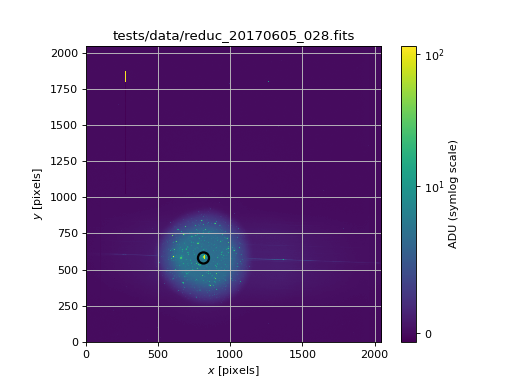
- spectractor.tools.plot_image_simple(ax, data, scale='lin', title='', units='Image units', cmap=None, mask=None, target_pixcoords=None, vmin=None, vmax=None, aspect=None, cax=None)[source]
Simple function to plot a spectrum with error bars and labels.
- Parameters:
ax (Axes) – Axes instance to make the plot
data (array_like) – The image data 2D array.
scale (str) – Scaling of the image (choose between: lin, log or log10, symlog) (default: lin)
title (str) – Title of the image (default: “”)
units (str) – Units of the image to be written in the color bar label (default: “Image units”)
cmap (colormap) – Color map label (default: None)
mask (array_like) – Mask array (default: None)
target_pixcoords (array_like, optional) – 2D array giving the (x,y) coordinates of the targets on the image: add a scatter plot (default: None)
vmin (float) – Minimum value of the image (default: None)
vmax (float) – Maximum value of the image (default: None)
aspect (str) – Aspect keyword to be passed to imshow (default: None)
cax (Axes, optional) – Color bar axes if necessary (default: None).
Examples
>>> import matplotlib.pyplot as plt
>>> from spectractor.extractor.images import Image
>>> from spectractor import parameters
>>> from spectractor.tools import plot_image_simple
>>> f, ax = plt.subplots(1,1)
>>> im = Image('tests/data/reduc_20170605_028.fits', config="./config/ctio.ini")
>>> plot_image_simple(ax, im.data, scale="symlog", units="ADU", target_pixcoords=(815,580),
...                     title="tests/data/reduc_20170605_028.fits")
>>> if parameters.DISPLAY: plt.show()
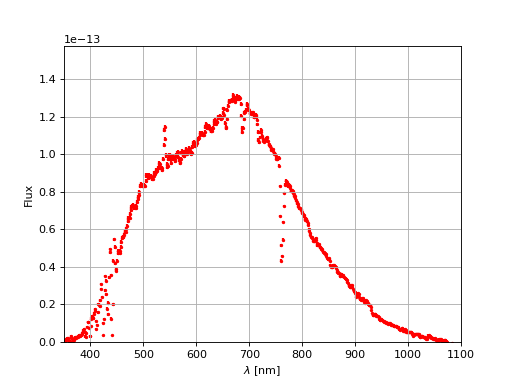
- spectractor.tools.plot_spectrum_simple(ax, lambdas, data, data_err=None, xlim=None, color='r', linestyle='none', lw=2, label='', title='', units='', marker='o')[source]
Simple function to plot a spectrum with error bars and labels.
- Parameters:
ax (Axes) – Axes instance to make the plot.
lambdas (array) – The wavelengths array.
data (array) – The spectrum data array.
data_err (array, optional) – The spectrum uncertainty array (default: None).
xlim (list, optional) – List of minimum and maximum abscisses (default: None).
color (str, optional) – String for the color of the spectrum (default: ‘r’).
linestyle (str, optional) – String for the linestyle of the spectrum (default: ‘none’).
lw (int, optional) – Integer for line width (default: 2).
marker (str, optional) – Character for marker style (default: ‘o’).
label (str, optional) – String label for the plot legend (default: ‘’).
title (str, optional) – String label for the plot title (default: ‘’).
units (str, optional) – String label for the plot units (default: ‘’).
Examples
>>> import matplotlib.pyplot as plt
>>> from spectractor.extractor.spectrum import Spectrum
>>> from spectractor import parameters
>>> from spectractor.tools import plot_spectrum_simple
>>> f, ax = plt.subplots(1,1)
>>> s = Spectrum(file_name='tests/data/reduc_20170530_134_spectrum.fits')
>>> plot_spectrum_simple(ax, s.lambdas, s.data, data_err=s.err, xlim=None, color='r', label='test')
>>> if parameters.DISPLAY: plt.show()
- spectractor.tools.rebin(arr, new_shape, FLAG_MAKESUM=True)[source]
Rebin and reshape a numpy array.
- Parameters:
arr (np.array) – Numpy array to be reshaped.
new_shape (array_like) – New shape of the array.
- Returns:
arr_rebinned – Rebinned array.
- Return type:
np.array
Examples
>>> a = 4 * np.ones((10, 10))
>>> b = rebin(a, (5, 5))
>>> b
array([[4., 4., 4., 4., 4.],
       [4., 4., 4., 4., 4.],
       [4., 4., 4., 4., 4.],
       [4., 4., 4., 4., 4.],
       [4., 4., 4., 4., 4.]])
- spectractor.tools.rescale_x_from_legendre(x_norm, Xmin, Xmax)[source]
Rescale normalized array set between -1 and 1 for Legendre polynomial evaluation to normal array between Xmin and Xmax.
See also
Examples
>>> x = np.linspace(0, 10, 101)
>>> x_norm = rescale_x_to_legendre(x)
>>> x_norm[0], x_norm[-1], x_norm.size
(-1.0, 1.0, 101)
>>> x_new = rescale_x_from_legendre(x_norm, 0, 10)
>>> assert np.allclose(x_new, x)
- spectractor.tools.rescale_x_to_legendre(x)[source]
Rescale array between -1 and 1 for Legendre polynomial evaluation.
- Parameters:
x (np.ndarray)
- Returns:
x_norm
- Return type:
np.ndarray
See also
Examples
>>> x = np.linspace(0, 10, 101)
>>> x_norm = rescale_x_to_legendre(x)
>>> x_norm[0], x_norm[-1], x_norm.size
(-1.0, 1.0, 101)
>>> x_new = rescale_x_from_legendre(x_norm, 0, 10)
>>> assert np.allclose(x_new, x)
- spectractor.tools.save_fits(file_name, header, data, overwrite=False)[source]
Generic function to save a FITS file.
- Parameters:
Examples
>>> header, data = load_fits("./tests/data/reduc_20170530_134.fits")
>>> save_fits("./outputs/save_fits_test.fits", header, data, overwrite=True)
>>> assert os.path.isfile("./outputs/save_fits_test.fits")
- spectractor.tools.set_gaia_catalog_file_name(file_name, output_directory='')[source]
Returns the file name containing the Gaia catalog associated to the analyzed image, placed in the output directory. The suffix is _gaia.ecsv.
- Parameters:
- Returns:
sources_file_name – The Gaia catalog file name.
- Return type:
Examples
>>> set_gaia_catalog_file_name("image.fits", output_directory="")
'image_wcs/image_gaia.ecsv'
>>> set_gaia_catalog_file_name("image.png", output_directory="outputs")
'outputs/image_wcs/image_gaia.ecsv'
- spectractor.tools.set_sources_file_name(file_name, output_directory='')[source]
Returns the file name containing the deteted sources associated to the analyzed image, placed in the output directory. The suffix is _source.fits.
- Parameters:
- Returns:
sources_file_name – The detected sources file name.
- Return type:
Examples
>>> set_sources_file_name("image.fits", output_directory="")
'image_wcs/image.axy'
>>> set_sources_file_name("image.png", output_directory="outputs")
'outputs/image_wcs/image.axy'
- spectractor.tools.set_wcs_file_name(file_name, output_directory='')[source]
Returns the WCS file name associated to the analyzed image, placed in the output directory. The extension is .wcs.
- Parameters:
- Returns:
wcs_file_name – The WCS file name.
- Return type:
Examples
>>> set_wcs_file_name("image.fits", output_directory="")
'image_wcs/image.wcs'
>>> set_wcs_file_name("image.png", output_directory="outputs")
'outputs/image_wcs/image.wcs'
- spectractor.tools.set_wcs_output_directory(file_name, output_directory='')[source]
Returns the WCS output directory corresponding to the analyzed image. The name of the directory is the anme of the image with the suffix _wcs.
- Parameters:
- Returns:
output – The name of the output directory
- Return type:
Examples
>>> set_wcs_output_directory("image.fits", output_directory="")
'image_wcs'
>>> set_wcs_output_directory("image.png", output_directory="outputs")
'outputs/image_wcs'
- spectractor.tools.set_wcs_tag(file_name)[source]
Returns the WCS tag name associated to the analyzed image: the file name without the extension.
Examples
>>> set_wcs_tag("image.fits")
'image'
- spectractor.tools.uvspec_available()[source]
Check if the uvspec binary is available.
- Returns:
is_available – Is the binary available?
- Return type:
bool
- spectractor.tools.wavelength_to_rgb(wavelength, gamma=0.8)[source]
taken from http://www.noah.org/wiki/Wavelength_to_RGB_in_Python This converts a given wavelength of light to an approximate RGB color value. The wavelength must be given in nanometers in the range from 380 nm through 750 nm (789 THz through 400 THz).
Based on code by Dan Bruton http://www.physics.sfasu.edu/astro/color/spectra.html Additionally alpha value set to 0.5 outside range